- API Key Authentication
- Change Proxy IP
- List Available Locations
- Change Proxy Location
- Change Proxy IPv4 Rotation
- Change Proxy IPv4 Whitelist
- Append Proxy IPv4 Whitelist
- Get IP Auth info
- IOS
- MacOS
- Android
- Windows
- FoxyProxy
- SwitchyOmega
- Chrome
- Firefox
- Brave
- AdsPower
- Multilogin
- GoLogin
- Bit Browser
- Ghost
- Sphere
- Clone Browser
- Octo
- Incogniton
- Dolphin
- AntBrowser
- VMLogin
- HideMyAcc
- Accepted Payment Methods
- IP Blocking
- IP Whitelisting Authentication
- IP Rotating
- Scrapy with ProxyPanel
- Buying with Cryptocurrency
- Selenium with ProxyPanel
- Urllib3 with ProxyPanel
- Requests with ProxyPanel
- Playwright with ProxyPanel
- HTTPX with ProxyPanel
- Beatutiful Soup with ProxyPanel
Integration
Android Devices
On Android devices, connecting via a cellular network allows you to utilize proxies for bypassing geo-restrictions, protecting your IP address, and blocking malware from accessing your device directly.
Setting up Proxies Using a Cellular Phone
Proxy setup may vary based on your cellular network provider.
Configure proxies on Android by navigating to Settings > Mobile Network.
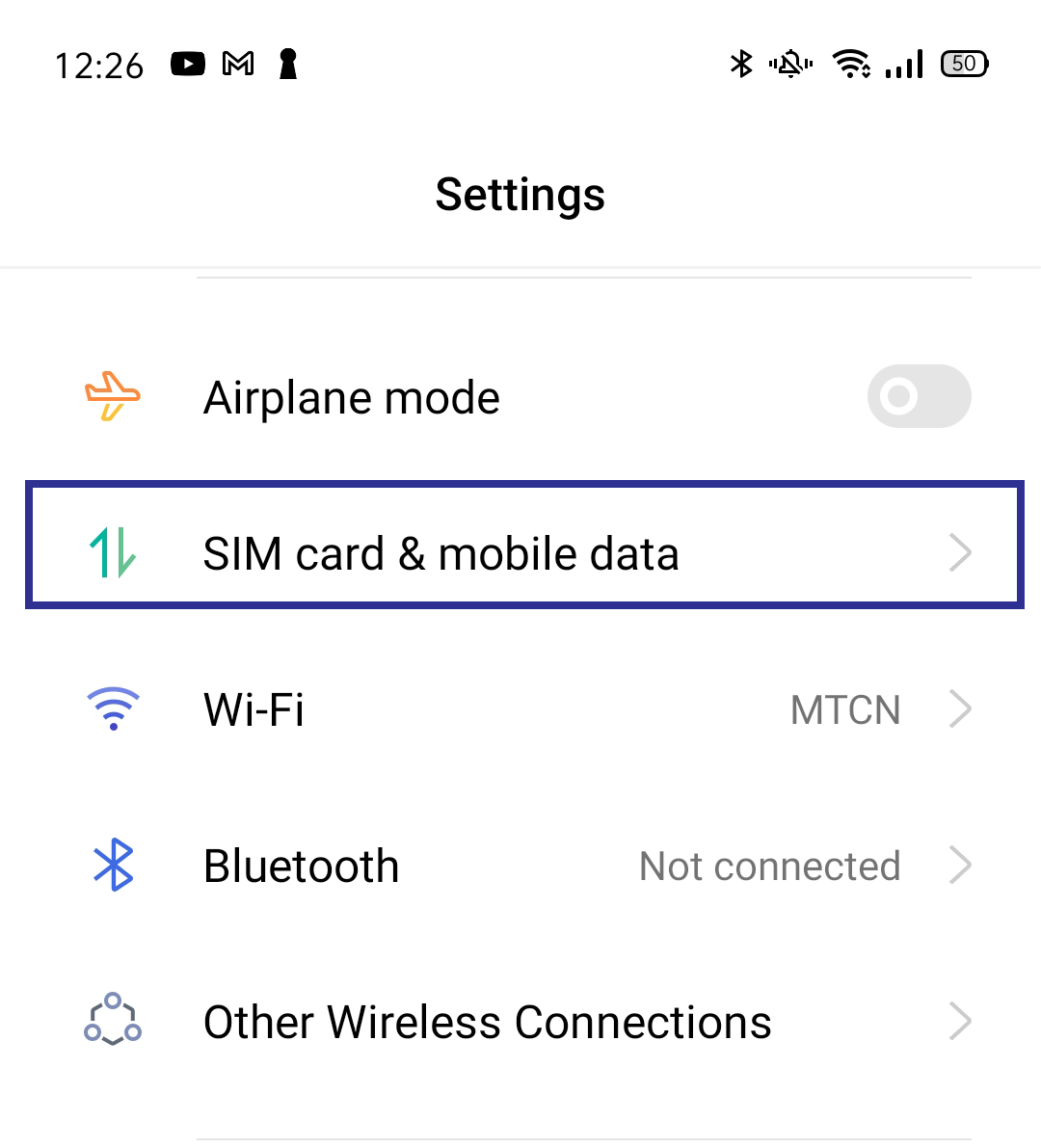
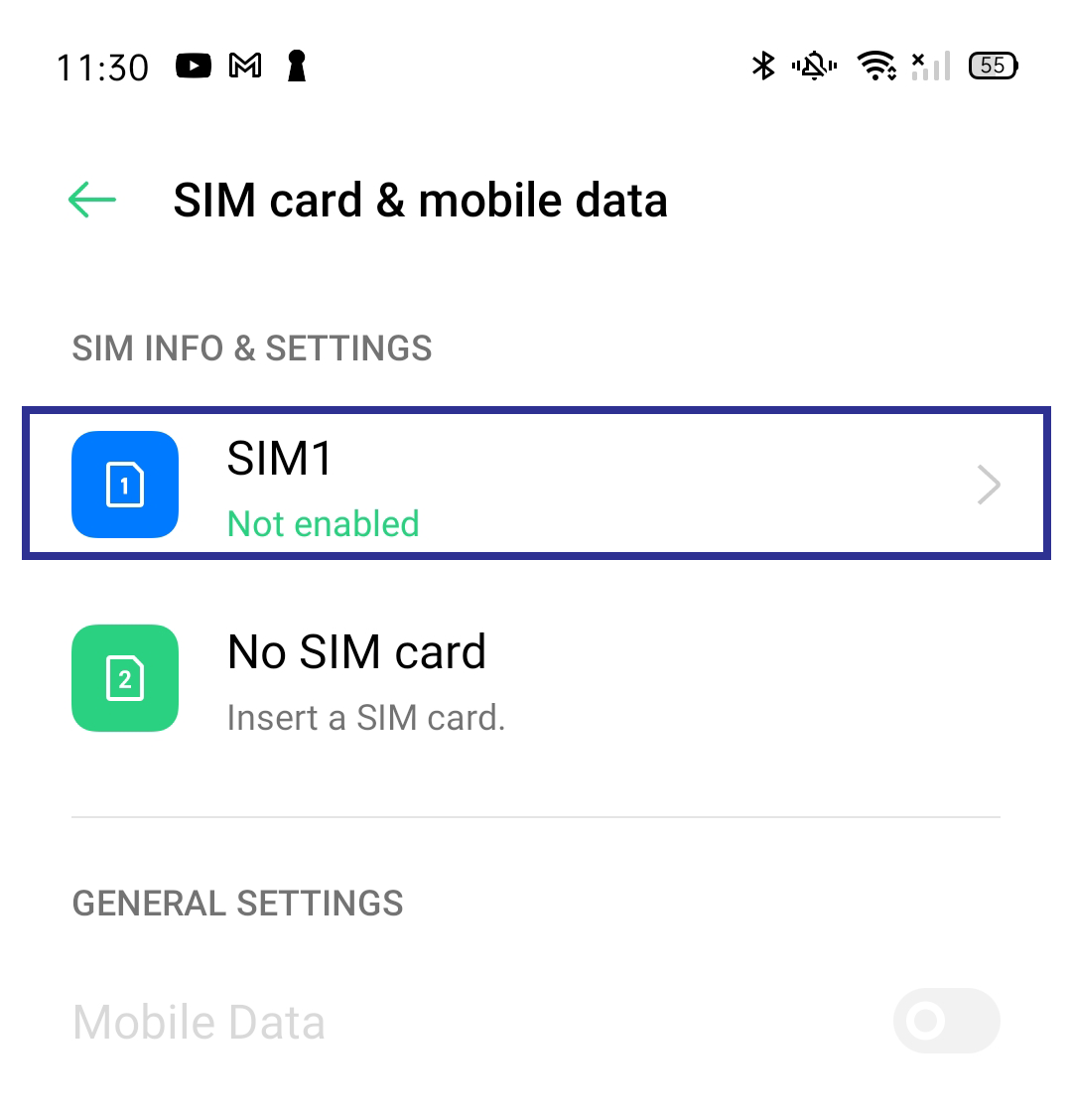
Select the SIM card you want to configure for proxy settings.
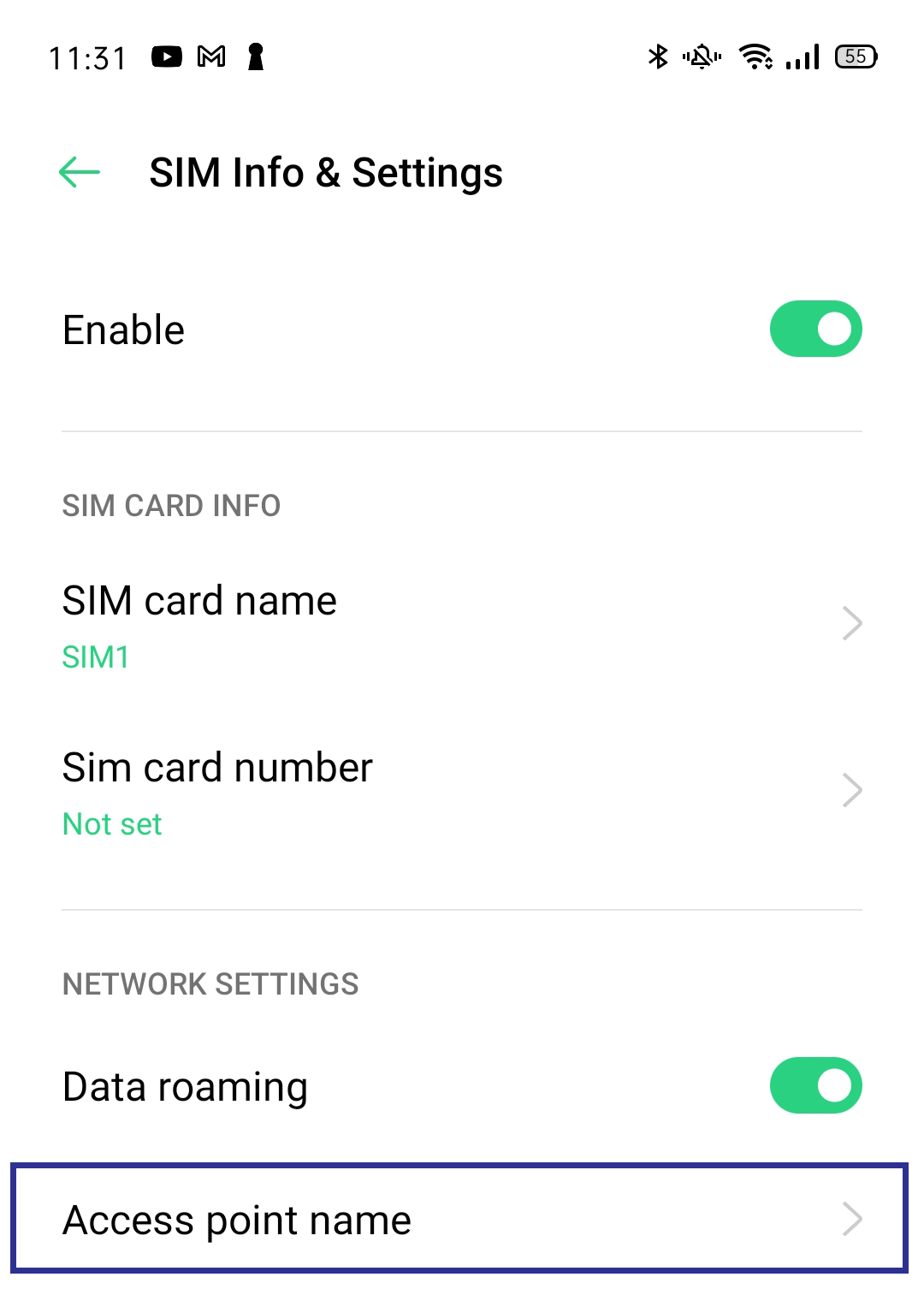
Navigate to Access Point Names (APNs).
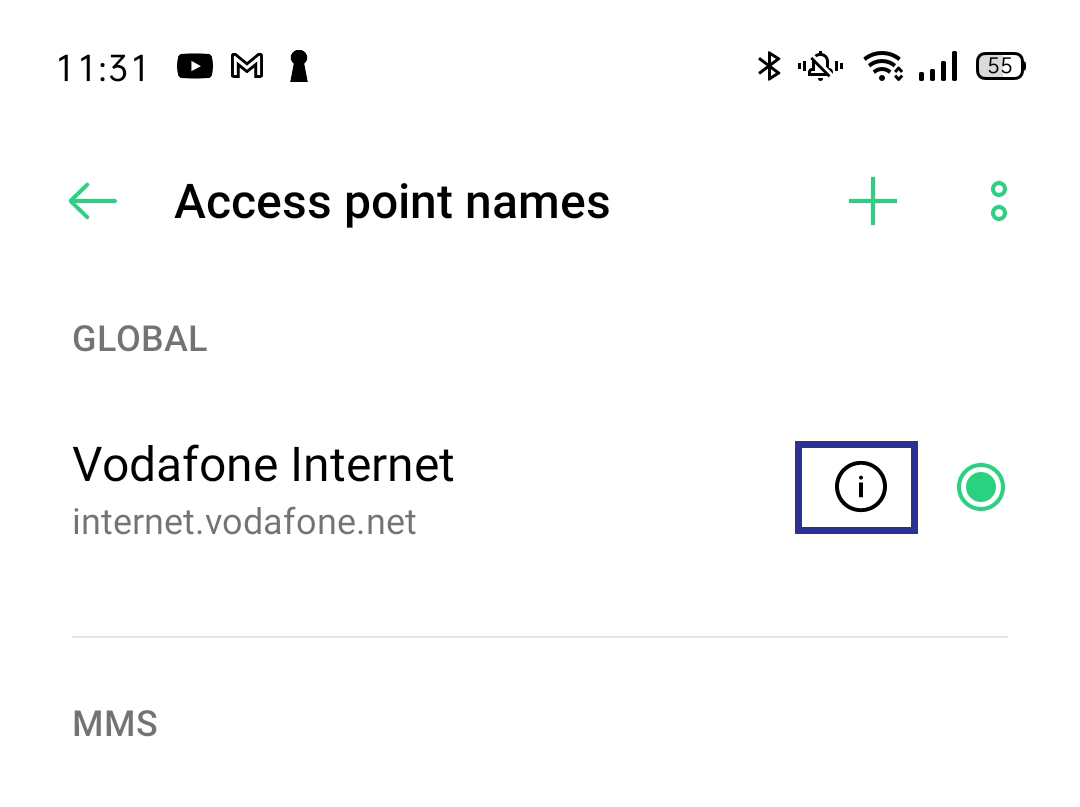
Tap on the information icon (i) next to your network provider's name.
Go to your Dashboard panel and navigate to the "My Proxy" section to view your IP information.
Click on the "Show Password" button and enter your account password to display your proxy password.
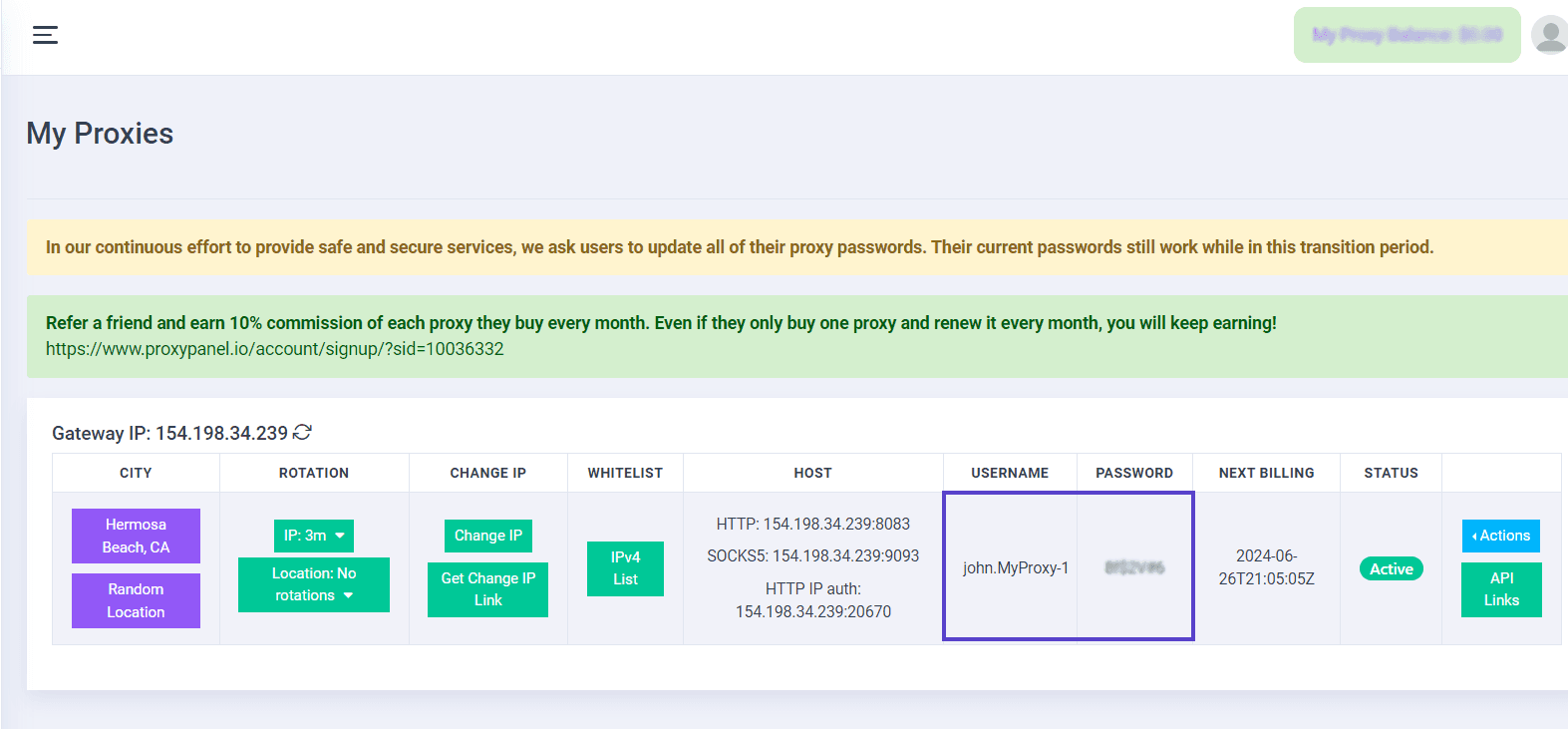
Use the provided data from your control panel to fill in the proxy settings:
- For HTTP, utilize port 8083
- For SOCKS5, employ port 9093
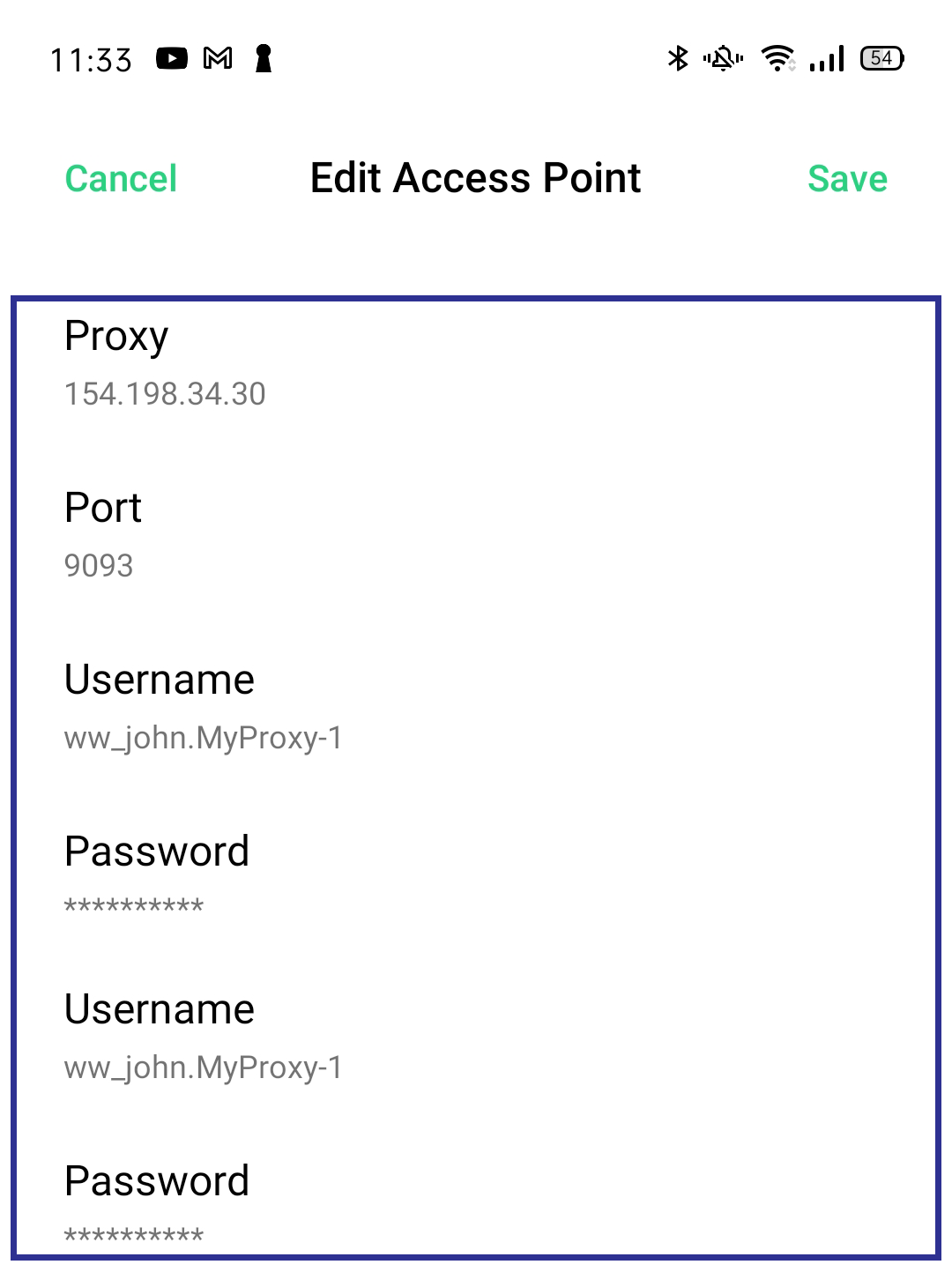
Confirm your settings by tapping the checkmark icon at the top right.
Upon opening your browser, enter the provided credentials and proceed to sign in. This will authenticate your access to the proxy settings.