- API Key Authentication
- Change Proxy IP
- List Available Locations
- Change Proxy Location
- Change Proxy IPv4 Rotation
- Change Proxy IPv4 Whitelist
- Append Proxy IPv4 Whitelist
- Get IP Auth info
- IOS
- MacOS
- Android
- Windows
- FoxyProxy
- SwitchyOmega
- Chrome
- Firefox
- Brave
- AdsPower
- Multilogin
- GoLogin
- Bit Browser
- Ghost
- Sphere
- Clone Browser
- Octo
- Incogniton
- Dolphin
- AntBrowser
- VMLogin
- HideMyAcc
- Accepted Payment Methods
- IP Blocking
- IP Whitelisting Authentication
- IP Rotating
- Scrapy with ProxyPanel
- Buying with Cryptocurrency
- Selenium with ProxyPanel
- Urllib3 with ProxyPanel
- Requests with ProxyPanel
- Playwright with ProxyPanel
- HTTPX with ProxyPanel
- Beatutiful Soup with ProxyPanel
Introduction
Scrapy — An Overview
Scrapy is a comprehensive web scraping and crawling framework. It not only sends HTTP requests but also parses HTML documents and performs other tasks, combining functionalities of libraries like Requests and BeautifulSoup. Scrapy is highly extensible, allowing custom functionality additions. Beyond building web scrapers or crawlers, Scrapy simplifies deployment to the cloud, making it a versatile tool for data extraction and web automation projects.
Here's a guide on how to use Scrapy with ProxyPanel for web scraping:
We will scrape a simple quotes website using Scrapy and ProxyPanel proxies. We'll extract quotes from the website and save them into a JSON file.
Prerequisites
Install Python from the official website.
Install Scrapy using pip:
pip install scrapyGo to your Dashboard panel and navigate to the "My Proxy" section to view your IP information.
Click on the "Show Password" button and enter your account password to display your proxy password.
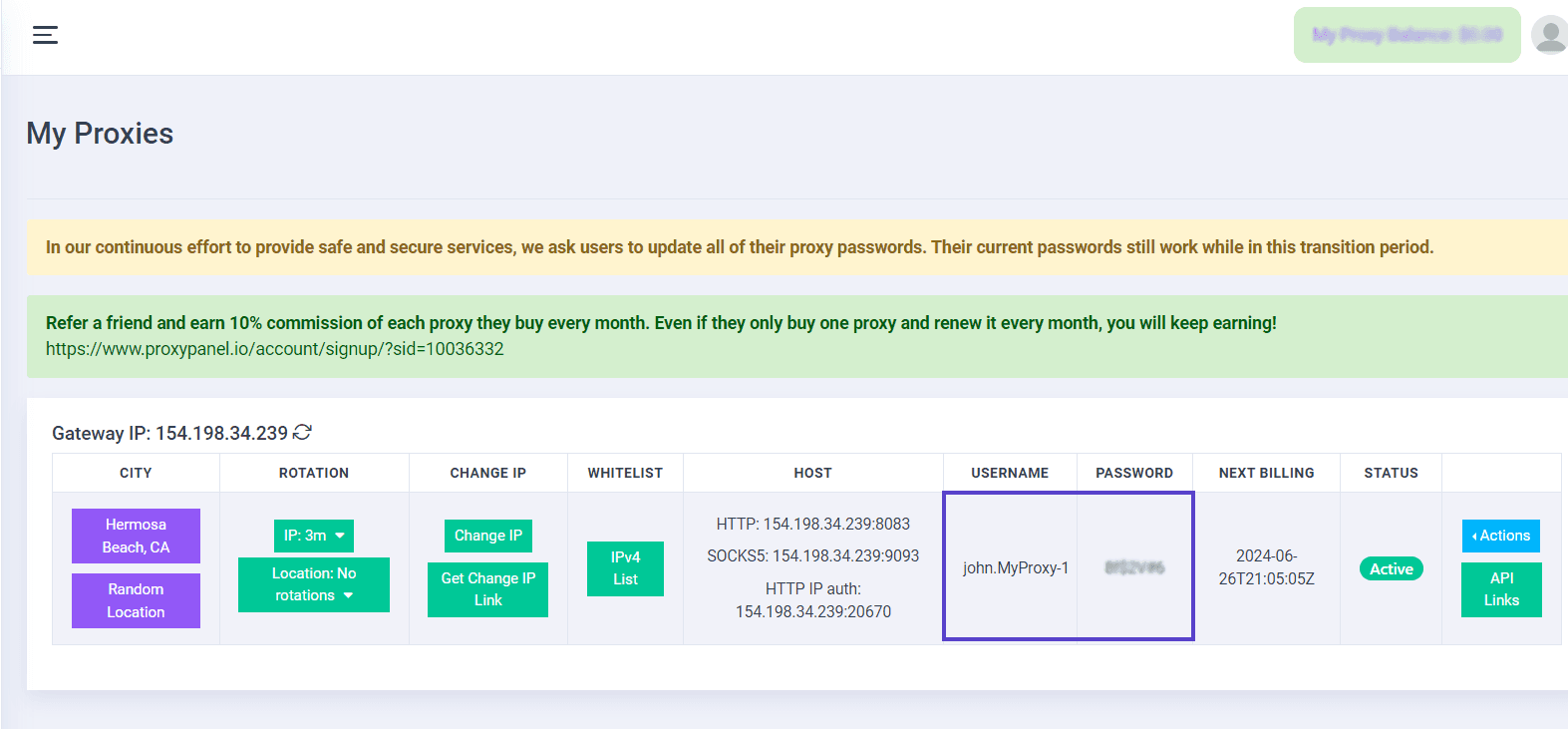
Open scrapy.py and add the following code. Replace username, password, proxy_address, and port with the actual details provided by your proxy service:
import scrapy

class QuotesSpider(scrapy.Spider):
    name = "quotes"
    start_urls = [
        "https://quotes.toscrape.com/tag/humor/",
    ]
    # Define your proxy URL with username and password
    proxy = "http://username:password@your_proxy:port"

    def start_requests(self):
        for url in self.start_urls:
            yield scrapy.Request(url, callback=self.parse, meta={'proxy': self.proxy})

    def parse(self, response):
        for quote in response.css("div.quote"):
            yield {
                "author": quote.xpath("span/small/text()").get(),
                "text": quote.css("span.text::text").get(),
            }

        next_page = response.css('li.next a::attr("href")').get()

        if next_page is not None:
            yield response.follow(next_page, self.parse, meta={'proxy': self.proxy})
Run your script using this command:
scrapy runspider scrapy.py -o quotes.jsonCheck the result in quotes.json. That's it! You have successfully scraped quotes using ProxyPanel proxy.