- API Key Authentication
- Change Proxy IP
- List Available Locations
- Change Proxy Location
- Change Proxy IPv4 Rotation
- Change Proxy IPv4 Whitelist
- Append Proxy IPv4 Whitelist
- Get IP Auth info
- IOS
- MacOS
- Android
- Windows
- FoxyProxy
- SwitchyOmega
- Chrome
- Firefox
- Brave
- AdsPower
- Multilogin
- GoLogin
- Bit Browser
- Ghost
- Sphere
- Clone Browser
- Octo
- Incogniton
- Dolphin
- AntBrowser
- VMLogin
- HideMyAcc
- Accepted Payment Methods
- IP Blocking
- IP Whitelisting Authentication
- IP Rotating
- Scrapy with ProxyPanel
- Buying with Cryptocurrency
- Selenium with ProxyPanel
- Urllib3 with ProxyPanel
- Requests with ProxyPanel
- Playwright with ProxyPanel
- HTTPX with ProxyPanel
- Beatutiful Soup with ProxyPanel

Introduction
BeautifulSoup — An Overview
Beautiful Soup is a powerful Python library designed for extracting data from HTML and XML files. It simplifies the process of web scraping by providing intuitive methods for navigating, searching, and modifying the parse tree of web documents. With Beautiful Soup, you can effortlessly extract and manipulate data from complex web pages, making it an essential tool for data analysts, developers, and anyone involved in data extraction tasks. By working seamlessly with various parsers, Beautiful Soup helps streamline the process of converting raw HTML or XML into structured, usable data.
Prerequisites
Install Python from the official website.
Check if Python is installed correctly using the following command:
python --versionThe output should be in the following format:
Python 3.11.2If you receive an error or see a version number starting with 2.x, you need to download Python 3.x and follow the installation instructions to set it up
Install the requests package:
pip install requestsInstall Beautiful Soup and its required parser:
pip install BeautifulSoup4This command installs the BeautifulSoup4 package, which is commonly used for parsing HTML and XML documents.
Configuring the Requests Package with ProxyPanel
We will use ProxyPanel to set up the `requests` package for parsing Amazon items with Beautiful Soup. Begin by retrieving your proxy information from the ProxyPanel dashboard.
import requests

# URL to scrape
url = 'https://www.amazon.com/s?k=laptops'  # Replace with the desired website URL

# Proxy configuration with login and password
proxy_host = '154.128.31.247'
proxy_port = 8083
proxy_login = 'john.MyProxy-1'
proxy_password = 'proxypanel!123'
proxy = f'http://{proxy_login}:{proxy_password}@{proxy_host}:{proxy_port}'

# Headers to mimic a real browser
headers = {
    'User-Agent': 'Mozilla/5.0 (Windows NT 10.0; Win64; x64) AppleWebKit/537.36 (KHTML, like Gecko) Chrome/91.0.4472.124 Safari/537.36',
    'Accept-Language': 'en-US,en;q=0.9',
    'Accept-Encoding': 'gzip, deflate, br',
    'Connection': 'keep-alive',
    'Upgrade-Insecure-Requests': '1'
}

proxies = {
    'http': proxy,
    'https': proxy
}

# Send a GET request using the proxy
response = requests.get(url, proxies=proxies, headers=headers)

# Check if the request was successful
if response.status_code == 200:
    # Process the response content
    print(response.text)
else:
    print('Request failed with status code:', response.status_code)
Make sure to replace the placeholders with your actual proxy details to complete the setup. This will ensure that Selenium uses the specified proxy for all browser interactions.
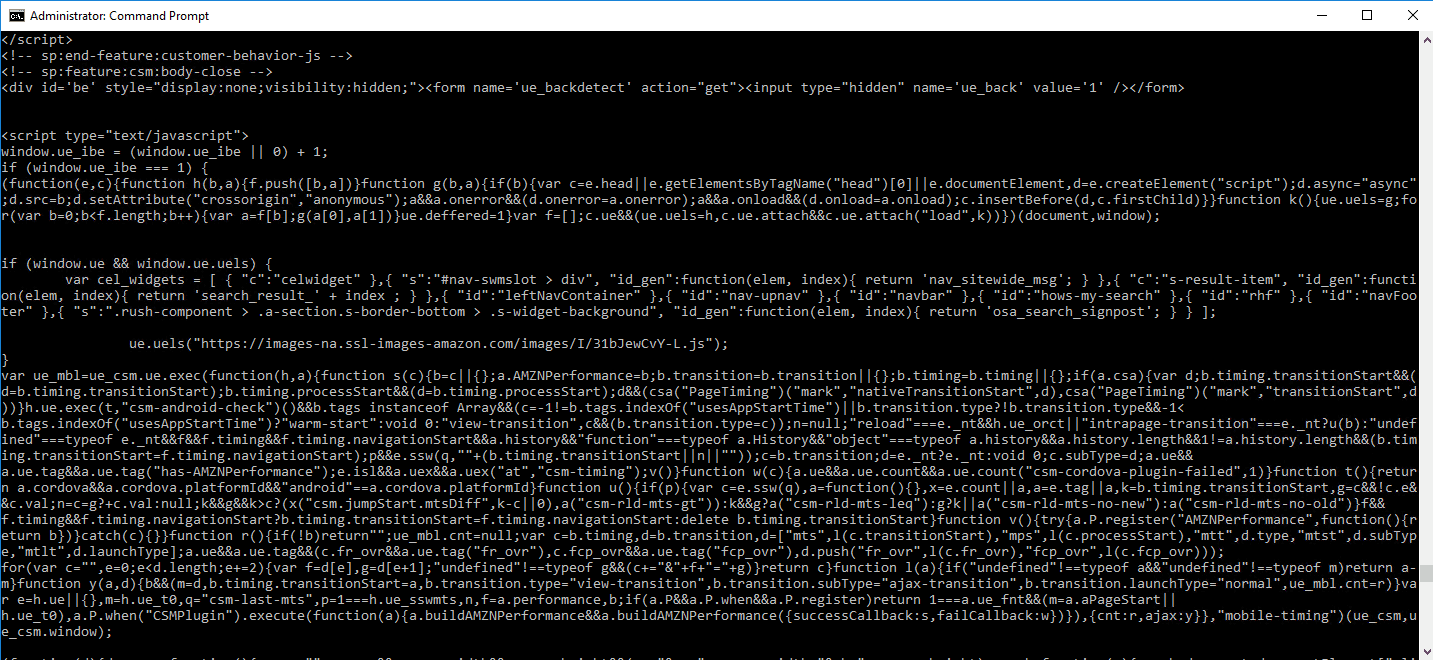
If you see a screen containing HTML, CSS, and JavaScript code, it means you have successfully scraped Amazon items using ProxyPanel proxies. Next, let’s proceed with parsing the HTML content using Beautiful Soup.
Parsing Content with Beautiful Soup
After scraping the content, the next step is to parse it using Beautiful Soup. This package specializes in parsing HTML and XML content, making it easy to extract and manipulate the data you need.
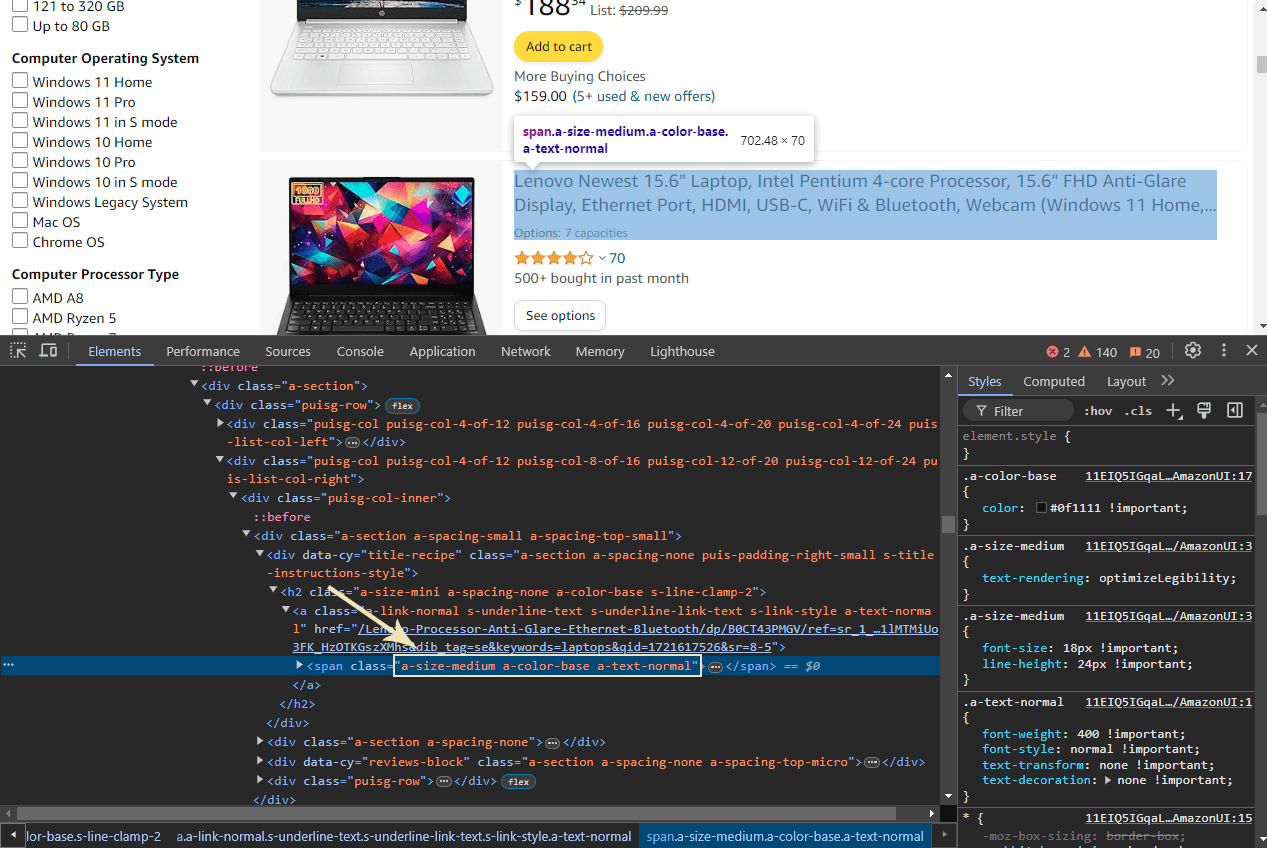
As we see in the picture, each laptop title is contained within a <span> element with the classes a-size-medium a-color-base a-text-normal. To extract these titles, you can use the browser’s Developer Tools (press F12) to inspect the page and confirm these classes. Our task is to extract all <span> elements with these classes to retrieve the titles.
The following code will guide you through parsing all these <span> elements using Beautiful Soup, allowing you to efficiently extract and work with the data.
import requests
from bs4 import BeautifulSoup

# URL to scrape
url = 'https://www.amazon.com/s?k=laptops'  # Replace with the desired website URL

# Proxy configuration with login and password
proxy_host = '154.128.31.247'
proxy_port = 8083
proxy_login = 'john.MyProxy-1'
proxy_password = 'proxypanel!123'
proxy = f'http://{proxy_login}:{proxy_password}@{proxy_host}:{proxy_port}'

# Headers to mimic a real browser
headers = {
    'User-Agent': 'Mozilla/5.0 (Windows NT 10.0; Win64; x64) AppleWebKit/537.36 (KHTML, like Gecko) Chrome/91.0.4472.124 Safari/537.36',
    'Accept-Language': 'en-US,en;q=0.9',
    'Accept-Encoding': 'gzip, deflate, br',
    'Connection': 'keep-alive',
    'Upgrade-Insecure-Requests': '1'
}

# Proxy settings
proxies = {
    'http': proxy,
    'https': proxy
}

# Send a GET request using the proxy
response = requests.get(url, proxies=proxies, headers=headers)

if response.status_code == 200:
    # Process the response content with Beautiful Soup
    soup = BeautifulSoup(response.text, 'html.parser')

    # Find all elements with the specified class
    titles = soup.find_all('span', class_='a-size-medium a-color-base a-text-normal')

    # Print each title
    for title in titles:
        print(title.get_text())
else:
    print('Request failed with status code:', response.status_code)
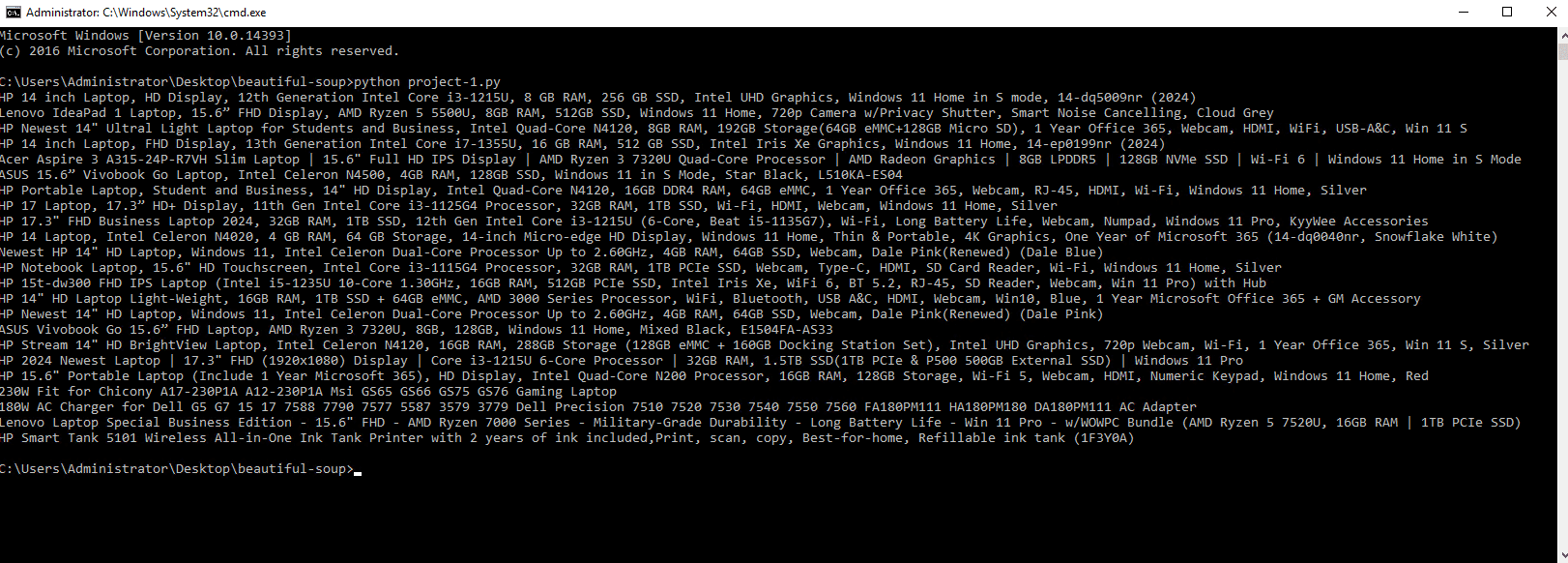
Conclusion: Extracting and Utilizing Laptop Titles
The final output will be a list of laptop titles extracted from the webpage, as shown in the picture. This demonstrates the effectiveness of Beautiful Soup in parsing and retrieving specific data from HTML content. With this approach, you can efficiently gather and utilize the information you need. Thank you for following along with this guide!